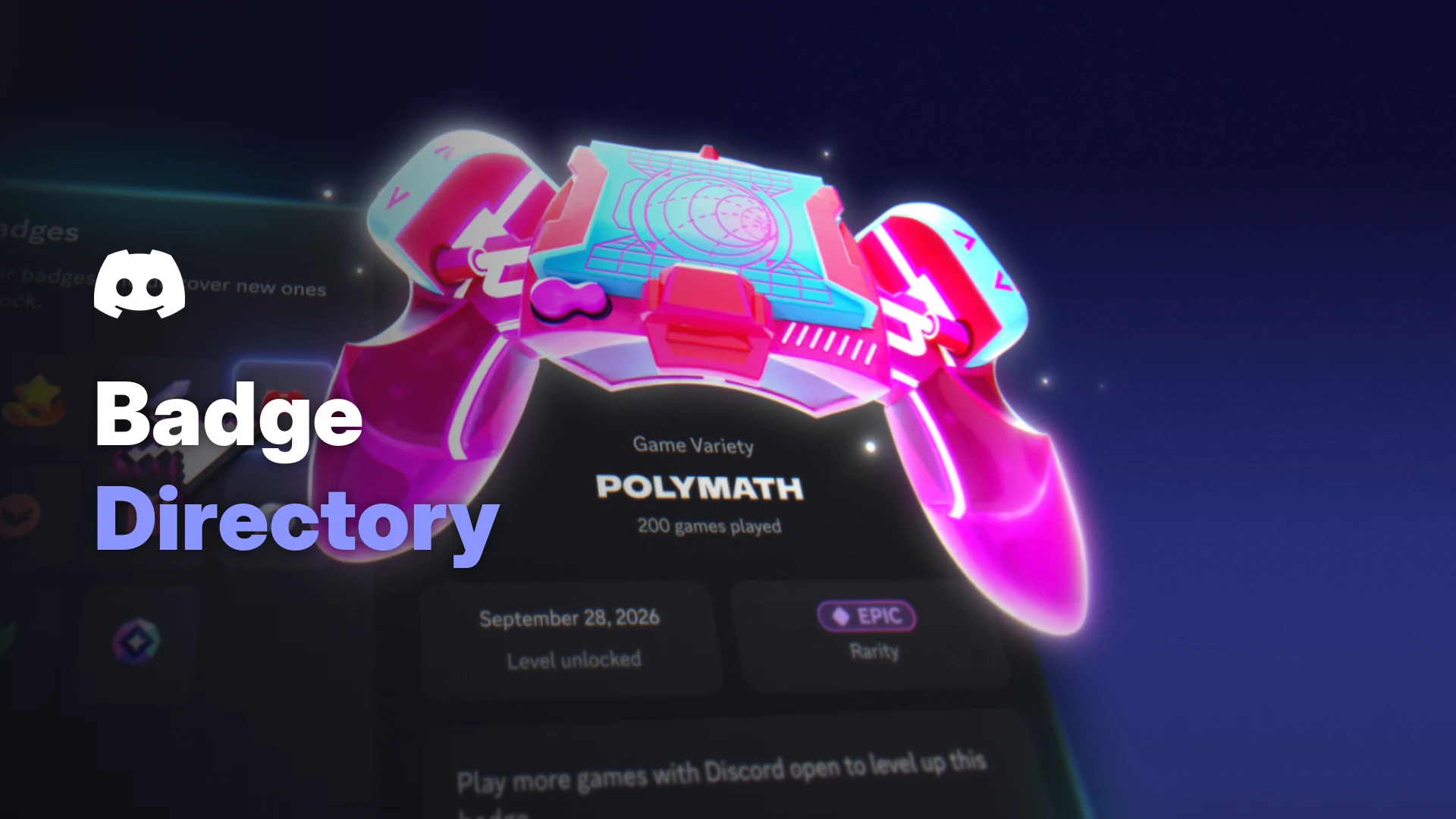

Last month we spotted Discord testing Game Time and Account Age badges with a small group of users. On 9 November 2026, Discord made them official, and it added the Discord badge directory, a single place to browse every badge, see how rare it is and track your progress.
This guide covers how to open the Discord badge directory, what the rarity tiers mean, what the four new free badges track, and how to hide or reorder the badges on your profile.
At a glance - Open it: select any badge on your profile or someone else's - Rarity tiers: Common, Rare, Epic and Mythic - New free badges: Account Age, Game Time, Game Variety and Streaming - Profile display: up to six badges, the rest are still viewable - Hide badges: everyone, but the Nitro badge always stays visible - Reorder badges: Nitro subscribers only - Mobile directory: still an experiment for a small number of users
🏅 What the Discord Badge Directory Shows
The directory is your home base for profile badges. According to Discord's help centre, it shows:
- The badges you've already unlocked
- The badges you can still earn
- How to earn each one
Select a badge to see its rarity, when you unlocked it and how to earn it. Badges you've started move to the top, so progress is easy to check.
The badge directory, with unlocked badges on top and badges you can still earn below. Image: Discord.
It works on other people's profiles too, so you can see how to earn any badge you spot.
🔍 How to Open the Badge Directory
There are three ways in.
From any profile (desktop or mobile):
- Open your profile or someone else's.
- Select any badge next to the username.
On your own Edit Profile screen, selecting a badge opens the Badge Customization panel instead. Select View Badges from there.
From the desktop You Bar:
- Select the You Bar at the bottom of the left sidebar.
- Select Badges.
From the mobile You Bar:
- Tap the You Bar at the bottom of the app.
- Tap the row of badges below your username.
On mobile, Discord says the directory is still an experiment for a small number of users.
💎 Discord Badge Rarity: Common to Mythic
Every badge has one of four rarity levels. Rarity shows how likely you are to see other people with that badge.
| Rarity | What it means |
|---|---|
| Common | A badge you'll see often |
| Rare | Less common across Discord |
| Epic | Held by fewer people again |
| Mythic | Held by very few people |
Discord's blog says the rarer badges get a colour-coded label, so a Mythic badge stands out at a glance.
Evolving badges are where this gets interesting. Each level can have its own rarity, so the same badge might be Common at level one and Mythic at its highest level. In Discord's own example, the Game Variety level called Polymath (200 games played) shows an Epic label.
Discord notes rarity may change over time as more or fewer people earn a badge.
🎮 The Four New Free Badges
Discord says these four badges are free, and many players may already have progress from the last couple of years.
| Badge | What it tracks | Counts from |
|---|---|---|
| Account Age | How long your account has existed | Unlocks at 1 year |
| Game Time | Total time in games Discord can detect | 8 December 2025 |
| Game Variety | Number of different games you've played | Not stated |
| Streaming | Time screen sharing with at least one other person | 1 January 2024 |
The Account Age badge has ten levels, from Seed (1 year) to Primordial (10+ years). Image: Discord.
Key rules from the help centre:
- Game Time, Game Variety and Streaming only count activity in the Discord desktop app. You can't level them up on mobile.
- Console games on Xbox or PlayStation don't count.
- Platforms like Roblox and Fortnite count as one game for Game Variety.
- You need the Use data to personalize my Discord experience setting turned on for progress to count. Our Discord privacy settings guide explains what your data settings do.
👀 How Badges Appear on Your Profile
Your profile shows up to six badges in its display slots. New badges, and badges that level up, go into those slots by default.
Six badges show on the profile, and the rest sit behind the +5 counter. Image: Discord.
Everything else stays in your badge directory for visitors to see.
🙈 How to Hide a Badge
Anyone can hide badges. The one exception is the Nitro badge, which always stays visible so people understand your profile's Nitro perks.
On desktop and browser:
- Select the You Bar, then go to Edit Profile.
- Select your Badges in the profile editor.
- Select Customize Your Badges.
- Hover over the badge, then select the three-dot menu.
- Select Hide Badge.
- Select Save.
On mobile:
- Tap the You Bar, then Edit Profile.
- Tap Badges.
- Long press the badge you want to hide.
- Tap Hide Badge, then Save.
Hidden badges move to the end of the row with a small hidden icon, so you can unhide them later. Other users won't see them.
⭐ How to Reorder Badges with Nitro
Nitro subscribers can choose which badges fill the six display slots.
The Customize your badges panel in the desktop profile editor. Image: Discord.
On desktop and browser:
- Select the You Bar, then go to Edit Profile.
- Select your Badges.
- Drag a badge to a new spot.
On mobile:
- Tap the You Bar, then Edit Profile.
- Tap Badges.
- Press and hold a badge, then drag it.
- Tap Save.
If your Nitro subscription ends, your custom order goes back to the default. Boosting a server also earns a badge, and our Discord server boost guide explains what boosts do for a community.
Frequently Asked Questions
How do I open the Discord badge directory?
Select any badge on your profile or someone else's. On desktop, you can also select the You Bar and choose Badges.
Is the Discord badge directory on mobile?
Partly. Discord says it's an experiment for a small number of mobile users right now.
Can I remove a badge or move it to another account?
No. Badges can't be removed or transferred, but you can hide them.
Why isn't my Game Time badge progressing?
Make sure you play with the Discord desktop app open and have Use data to personalize my Discord experience turned on. Console games don't count. If you stream your games, our Discord streaming guide covers connecting your channels.
🎮 The Bottom Line
The Discord badge directory turns badges into something you can actually explore. You can check rarity, track progress and learn how to earn any badge you spot on someone else's profile.
The new badges reward gaming, streaming and simply sticking around, with Account Age topping out at Primordial for 10+ year accounts.
What's the rarest badge in your directory right now?

Comments
Sign in to join the conversation
Sign inNo comments yet
Be the first to share your thoughts!