
WiFi 7 is the next generation of wireless networking designed to deliver higher speeds, better reliability, and lower latency than previous WiFi standards. For gamers, its biggest advantage is not simply faster downloads. The real benefit is maintaining a stable connection when multiple devices are using the network at the same time.
Gaming performance depends heavily on latency stability. A fast internet connection can still produce lag if the network suddenly becomes congested.
What Is Dual Force Technology? ⚡
Dual Force technology is designed to improve gaming traffic management by intelligently prioritizing network activity associated with gaming.
Instead of allowing large downloads, video streaming, cloud backups, and other devices to compete equally with game traffic, supported networking hardware can give gaming packets higher priority.
The goal is to reduce latency spikes, especially when the network is under heavy load.
This can be particularly useful during:
• Online multiplayer matches
• Competitive gaming
• Cloud gaming
• Game downloads
• Live streaming
• Local game streaming
How WiFi 7 Helps Gaming 🕹️
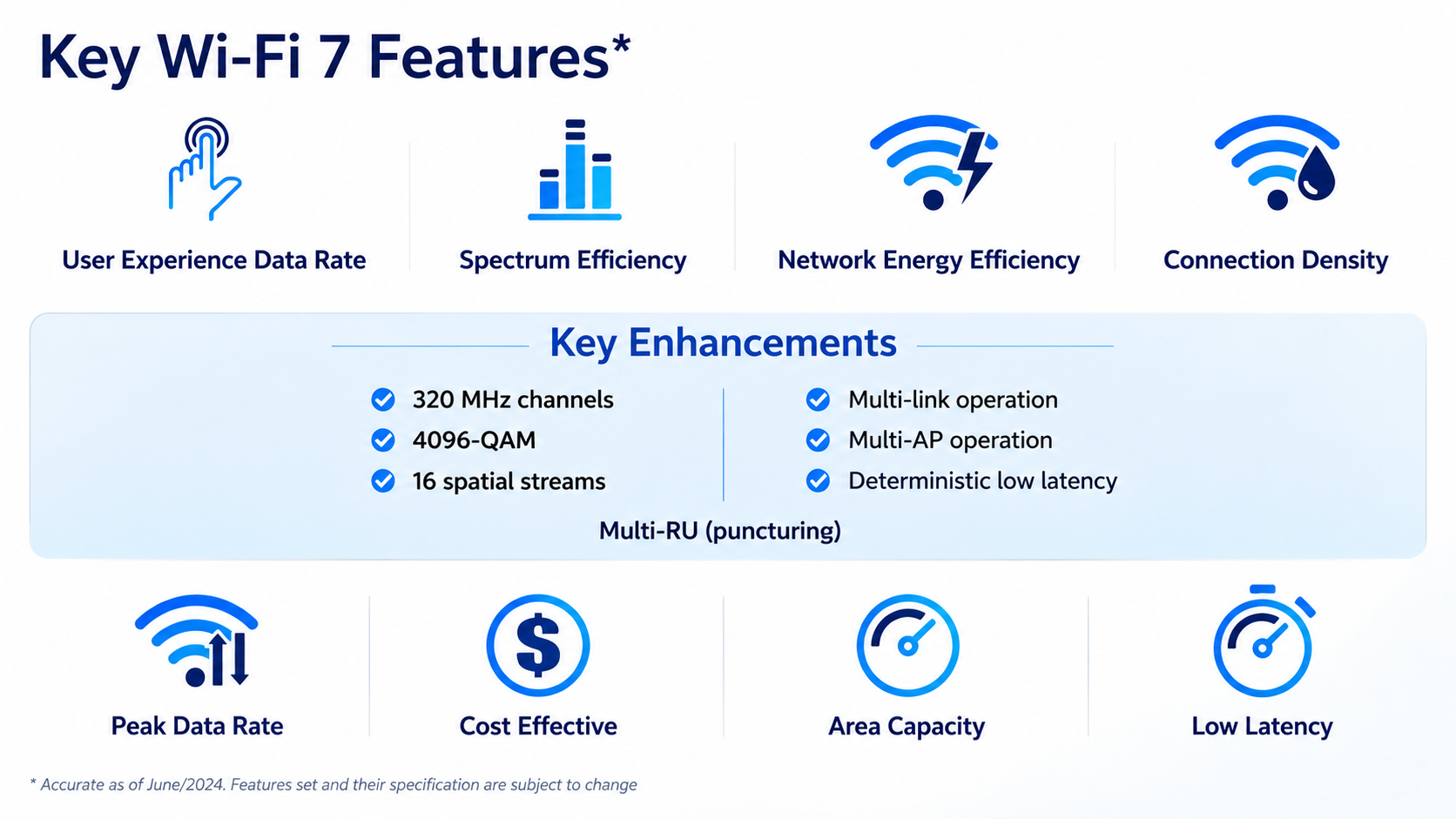
WiFi 7 introduces several technologies that can improve wireless gaming performance.
Multi Link Operation
Multi Link Operation, commonly called MLO, allows compatible devices to use multiple wireless links more efficiently. This can improve reliability and reduce the impact of congestion.
320 MHz Channels
WiFi 7 supports wider 320 MHz channels, allowing compatible devices to transfer considerably more data at once.
4K QAM
WiFi 7 also supports 4096 QAM, increasing the amount of data transmitted during each wireless transmission when conditions allow.
These features are most useful when both the router and gaming device support WiFi 7.
Required Router Hardware 📡
To take advantage of WiFi 7 gaming features, you need compatible hardware.
A typical setup includes:
• WiFi 7 router
• WiFi 7 compatible gaming PC or device
• Modern processor and network adapter
• Fast broadband connection
• Ethernet connection for stationary devices when possible
The router should also support advanced Quality of Service, traffic prioritization, and gaming optimization features if you want additional control over latency.
Local Streaming Benefits 🖥️
WiFi 7 can also improve local game streaming between a gaming PC and devices such as laptops, handheld consoles, tablets, and televisions.
Higher wireless throughput and improved connection efficiency can help deliver high resolution gameplay with less buffering and interruption.
For example, a powerful gaming PC can render a game while a WiFi connected handheld receives the video stream across the local network.
Does WiFi 7 Eliminate Lag?
Not completely.
WiFi 7 can reduce wireless congestion and improve latency consistency, but it cannot eliminate problems caused by:
• Poor internet routing
• ISP congestion
• Distant game servers
• Weak signal strength
• Outdated client hardware
• Server side problems
For competitive gaming, Ethernet remains the most predictable option when available.
Best WiFi 7 Gaming Setup
For the best results:
- Use a WiFi 7 router.
- Connect your gaming device to a compatible WiFi 7 network.
- Enable gaming traffic prioritization.
- Place the router in an open and central location.
- Keep firmware updated.
- Use Ethernet for the gaming PC when practical.
- Reserve WiFi bandwidth for mobile and local streaming devices.
Future of WiFi 7 Gaming 🚀
WiFi 7 is becoming increasingly relevant as gaming moves toward cloud gaming, wireless VR, handheld streaming, and high bandwidth local game streaming.
The biggest improvement is not simply headline speed. It is the ability to maintain a more consistent connection while the rest of the household is also using the network.
For gamers, that makes WiFi 7 a particularly interesting upgrade for low latency multiplayer gaming and high quality wireless streaming.
Comments
Sign in to join the conversation
Sign inNo comments yet
Be the first to share your thoughts!