
Discord Cloud Play Quests are Quests that let you play a game through cloud streaming directly inside Discord. Discord's help center describes them as "Quests that allow you to play games via cloud streaming directly in Discord." You don't need to install the game, and you don't need a powerful PC or console.
Cloud Play Quests are an experimental feature on the Discord desktop app, and some users don't have access yet. This page explains how they work, the requirements, how to start one, and how to troubleshoot problems.
Key Information
| Detail | Summary |
|---|---|
| What it is | A Quest you complete by playing a cloud-streamed game inside Discord |
| Status | Experimental. Not every account has access |
| Where you can accept it | Discord desktop app or browser |
| Where you can complete it | Discord desktop app only |
| Mobile | Not supported for completion yet |
| Install needed | No, for you or your friends |
| Account needed | Usually the game publisher's account, such as Epic Games for Fortnite |
| Reward | Shown on the Quest card. Claimed after you finish |
| Help article | Discord Cloud Play Quests, posted 29 October 2025 |
Background
Discord first showed cloud-streamed games in August 2025. In a blog post on 18 August 2025, Discord said it was bringing "cloud-streamed gaming experiences directly to Discord, powered by the NVIDIA GeForce NOW cloud gaming service."
Discord announced cloud-streamed games with NVIDIA GeForce NOW in August 2025. Image: Discord.
The first title was Fortnite, demoed behind closed doors at Gamescom 2025. Discord said the demo streamed "at up to 60 frames per second at 1440p resolution, straight from the cloud."
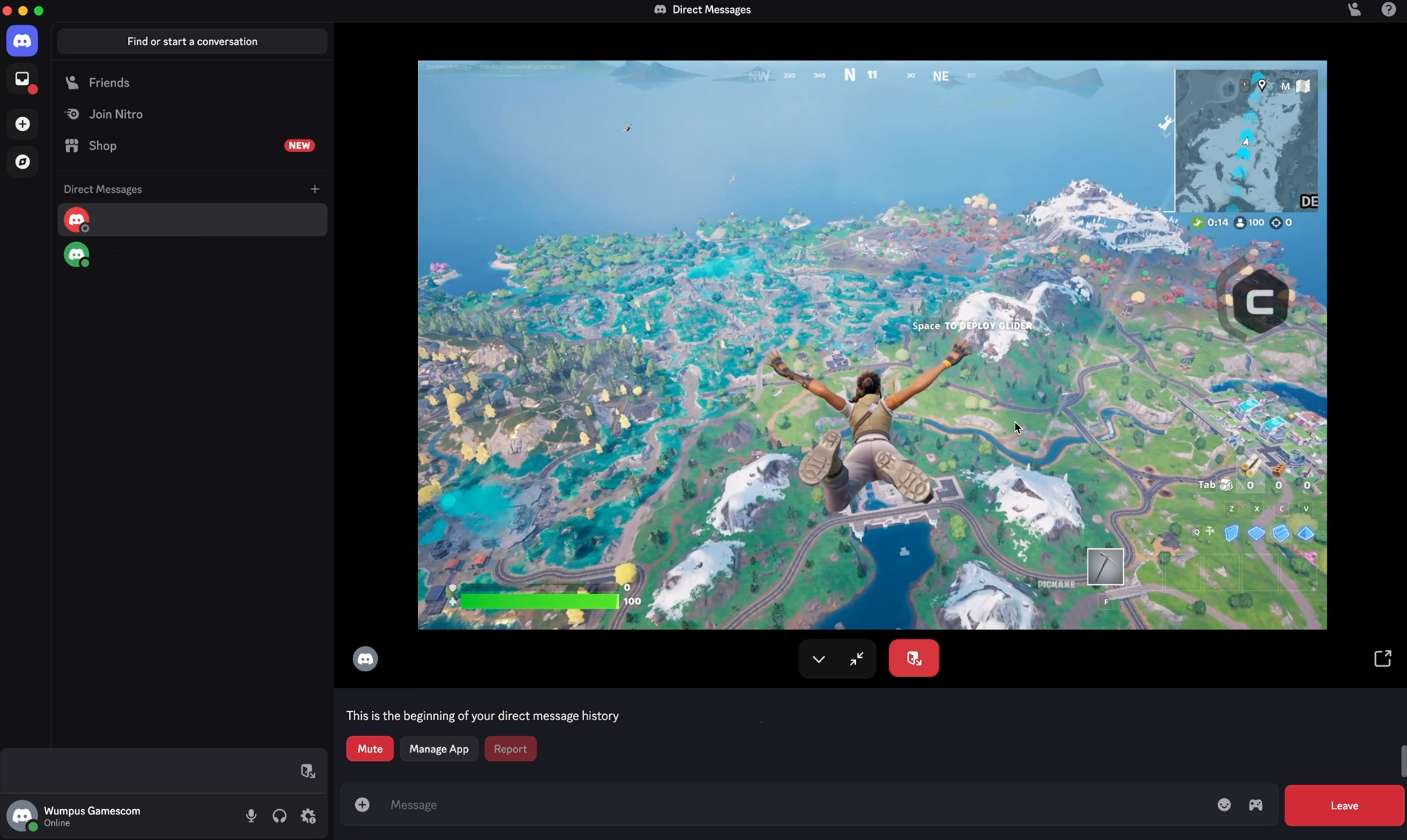
Fortnite streamed from the cloud inside the Discord client. Image: Discord.
Cloud Play Quests build on that idea. Discord's Quests FAQ says Quests is "currently experimenting with cloud play." The Cloud Play help article doesn't name a cloud provider in its text, but the example Quest it shows says the Fortnite trial was "powered by NVIDIA GeForce NOW."
How Discord Cloud Play Quests Differ From Other Quests
| Quest type | What you do | Where progress tracks |
|---|---|---|
| Play Quest | Play an installed game for a set time, stream it to a friend, or complete an in-game action | Discord desktop app |
| Video Quest | Watch a video or trailer | Desktop app or browser |
| Cloud Play Quest | Play a cloud-streamed game inside Discord for a set time | Discord desktop app |
The main difference is the install. A standard Play Quest needs the game on your computer. A Cloud Play Quest runs the game on a remote server and streams it to Discord.
Example: the Fortnitemares Quest
Discord's help article uses a Fortnite Quest as its example. The Quest card asked players to "Play 15 minutes to unlock The Final Peel Avatar Decoration," using a limited-time Fortnite trial "powered by NVIDIA GeForce NOW in Discord. No install required." The card's button read Try in Discord.
An example Cloud Play Quest in Quest Home. Image: Discord.
That Quest has ended. Requirements and rewards change with each Quest, so always check the current card.
For a general overview of Quests and rewards, see the Discords.ai guide to Discord Quests, free Orbs and avatar decorations.
Requirements
- The Discord desktop app. You can accept a Cloud Play Quest in a browser, but you can only complete it on desktop.
- Access to the experiment. If you don't see Cloud Play Quests, your account may not have the feature yet.
- A stable internet connection. Performance depends on your connection speed, since the game is streamed.
- The game publisher's account. You sign in on the publisher's login page before playing. Discord's example is an Epic Games account for Fortnite.
- Quest availability in your region. The Quests FAQ notes that Quests "will not be available in certain regions."
Discord's help article doesn't list minimum internet speeds, supported browsers, operating systems or controller support.
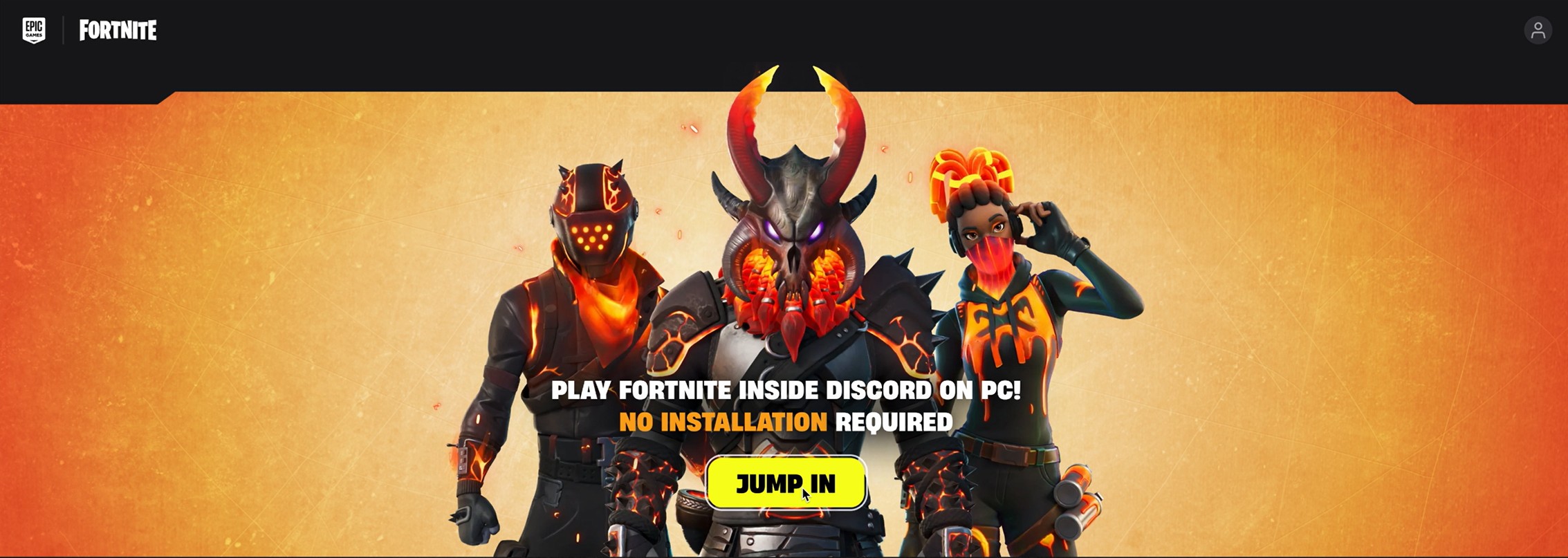
The Fortnite launch screen inside Discord, where players select Jump In and then sign in. Image: Discord.
How to Start a Cloud Play Quest
- Find the Quest. Cloud Play Quests can appear in Quest Home, the Quest Bar, your friends list, server member lists or on a user's profile.
- Accept the Quest.
- Open the game. If friends are playing, select Try Game. If not, you can launch the game directly in Discord.
- Check the Activity screen. The Cloud Play Activity screen shows the game details and what the Quest requires.
- Select Jump In.
- Sign in. Log in on the game publisher's page, then return to Discord. The Activity then launches.
- Play for the required time. The Quest card shows how long you need to play.
- Claim your reward once the Quest is complete.
Starting a Cloud Play trial Activity from a Quest. Image: Discord.
Rewards
Cloud Play Quests use the same reward system as other Quests. The reward is shown on the Quest card and can include items such as avatar decorations or Orbs, depending on the Quest.
Discord's help article doesn't list fixed rewards or playtime lengths. Its Fortnite example needed 15 minutes of play for an avatar decoration, but each Quest sets its own terms. Check the card before you start.
To see what Orbs can buy, read the Discords.ai guide on how to get Discord Nitro with Orbs.
Limitations
- Experimental. The feature can change or be removed, and access is limited.
- Desktop only for completion. Discord says mobile support "may be added in the future."
- Internet-dependent. A weak or unstable connection can lower quality or end the session.
- Region limits. Quests aren't available everywhere. Don't use a VPN to get around this. The Discords.ai post on region-locked Quests and VPNs explains the risks.
- Linux. The Quests FAQ says Quest rewards "are unable to be earned on Linux devices."
Troubleshooting
| Problem | What to do |
|---|---|
| I can't see any Cloud Play Quests | The feature is experimental, so your account may not have it yet. Check Quest Home on the desktop app |
| The game won't start after Jump In | Refresh Discord, check your connection or restart the app. If it continues, see Discord's Voice & Video Troubleshooting Guide or contact Discord Support |
| My connection dropped | The session may end. Reconnect and start again. Progress continues tracking once you're back online |
| I can't sign in | Make sure you're using the correct game account. Reset your password on the game service's own website |
| Progress isn't tracking | Confirm you're signed in to your game account and have met the playtime requirement. If it still doesn't update, restart the game session |
| I started on my phone | Cloud Play Quests can only be completed on the desktop app. Switch to desktop |
Only sign in through the publisher login page that Discord opens. Never enter your Discord or game password on a site sent to you in a DM.
Frequently Asked Questions
What are Discord Cloud Play Quests?
They're Quests that let you play a cloud-streamed game directly in Discord, without installing it, and earn a reward for playing.
Do I need to download the game?
No. Discord says you don't need to install the game, and your friends don't either.
Can I do Cloud Play Quests on mobile?
You can't complete them on mobile yet. Discord says completion is desktop-only for now.
Why can't I see Cloud Play Quests?
They're an experimental feature, and some users don't have access yet. Quests are also unavailable in some regions.
Do I need a GeForce NOW account?
Discord's Cloud Play help article doesn't mention one. Its Fortnite example ran on NVIDIA GeForce NOW, and players signed in with their Epic Games account.
Is Cloud Play the same as streaming a game to friends?
No. Streaming shares your own gameplay with friends. Cloud Play runs the game on a remote server and streams it to you.
Summary
Discord Cloud Play Quests let you play a game streamed from the cloud inside Discord and earn a Quest reward, with no install required. They're experimental, limited to some accounts, and can only be completed on the desktop app. To take part, accept the Quest, select Jump In, sign in with the game publisher's account and play for the time shown on the Quest card.
Sources
- Discord Help Center: Discord Cloud Play Quests, posted 29 October 2025
- Discord Help Center: Quests FAQ, updated 31 August 2026
- Discord Blog: Transforming game discovery with instant play experiences on Discord, 18 August 2025
- Business Standard: Discord to let you try out Fortnite for free through Nvidia GeForce Now, 19 August 2025
Comments
Sign in to join the conversation
Sign inNo comments yet
Be the first to share your thoughts!