
The Complete Wiki to Customizing YouTube's Homepage Algorithm
YouTube is giving viewers more ways to manually shape their Homepage recommendations instead of relying entirely on the platform's algorithm.
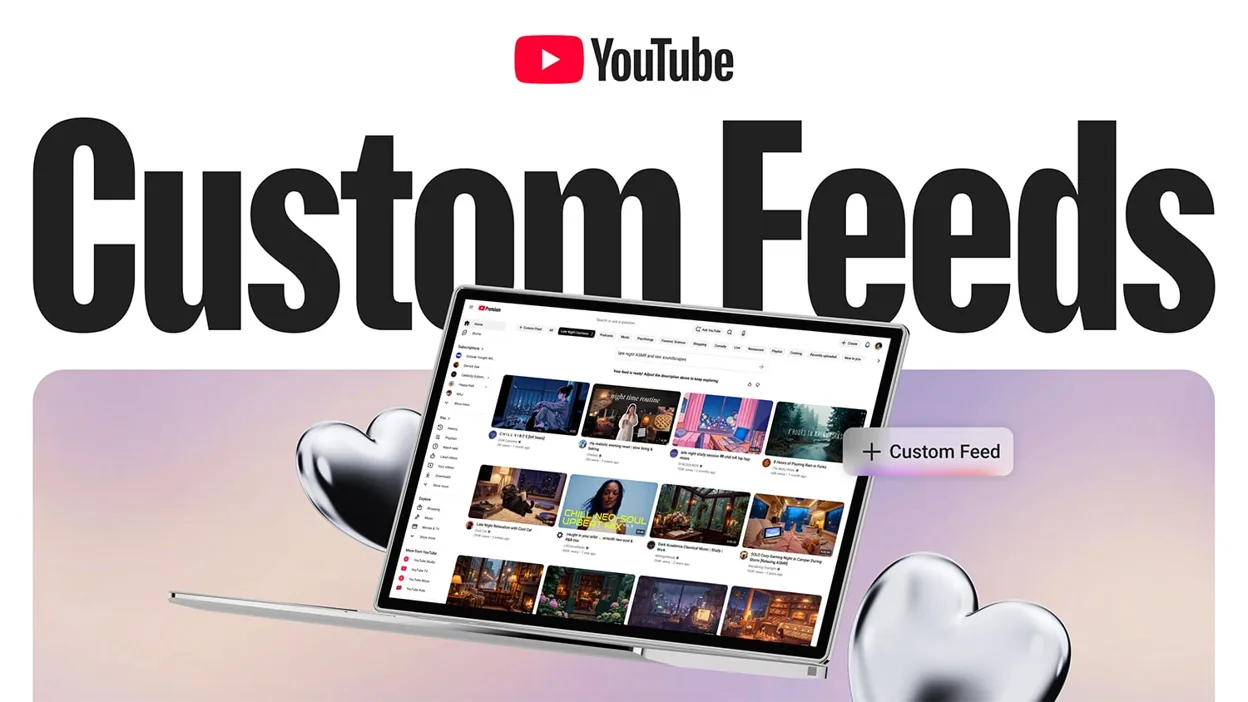
The biggest new addition announced in September 2026 is Custom Feeds, which lets users create dedicated recommendation feeds around specific interests, moods, routines, or types of content. YouTube says users will be able to create and save multiple feeds and access them directly from the Homepage. The feature is planned for users in the United States on web, mobile, and TVs.
But Custom Feeds is only one part of the larger system.
YouTube already gives viewers tools such as Not interested, Don't recommend channel, Show fewer Shorts, topic controls, likes/dislikes, and watch-history management. These signals can influence what YouTube recommends in the future.
The result is a shift from simply accepting whatever the recommendation algorithm serves to actively training and steering your Homepage.
Quick Facts
| Feature | What It Does |
|---|---|
| Custom Feeds | Creates dedicated recommendation feeds around specific interests |
| Not interested | Removes an unwanted recommendation and provides feedback |
| Don't recommend channel | Reduces recommendations from a particular channel |
| Show fewer Shorts | Reduces Shorts recommendations |
| Topic controls | Lets viewers explore or reject recommendations around topics |
| Likes / Dislikes | Provides positive or negative preference signals |
| Watch History | One of the primary signals for Homepage recommendations |
| Search History | Helps YouTube understand interests |
| Subscriptions | Helps shape recommendations |
| Satisfaction surveys | Gives YouTube additional feedback about viewing satisfaction |
| Watch History Off | Can significantly reduce personalized Homepage recommendations |
| Custom Feed availability | U.S. users on web, mobile and TV, rolling out in fall 2026 |
| Current status | Several controls are available now, while Custom Feeds is rolling out |
YouTube's recommendation system uses many signals rather than one universal "algorithm."
What Is YouTube's New Homepage Customization System?
YouTube's Homepage is a personalized recommendation surface.
When a signed-in user opens YouTube, the platform combines signals such as:
- Watch history
- Search history
- Subscriptions
- Likes
- Dislikes
- "Not interested" feedback
- "Don't recommend channel" feedback
- Viewing behavior
- Topic interests
- Satisfaction signals
to determine what videos to show.
The new direction is to give viewers more explicit controls over those recommendations.
Instead of only teaching YouTube through what you watch, you can increasingly tell it:
"Show me more of this."
or
"I don't want this type of content."
Custom Feeds: The Biggest New Feature
The headline feature announced at Made on YouTube 2026 is called Custom Feeds.
YouTube describes Custom Feeds as a way to create your own front page around specific interests.
For example, a viewer could create a feed for:
- Gaming news
- Long documentaries
- DIY projects
- Evening relaxation
- Fitness videos
- New creators
- Technology
- Cooking
- Music
YouTube's own examples include an "evening wind down with long documentaries" feed and a feed focused on "new DIY creators."
How Custom Feeds Work
The idea is simple:
1. Choose an Interest
Decide what type of content you want the feed to focus on.
2. Customize the Feed
YouTube uses your instructions and existing recommendation signals to build the feed.
3. Save the Feed
The feed can be saved for repeated use.
4. Return From the Homepage
Your customized feeds are designed to be accessible directly from YouTube's Homepage.
This means users can effectively create multiple personalized viewing environments instead of having one Homepage trying to satisfy every interest simultaneously.
Why Multiple Feeds Matter
Most people have more than one type of viewing habit.
For example, someone might watch:
Gaming
during the afternoon,
News
during lunch,
and
Long-form documentaries
at night.
A single recommendation feed has to combine all three interests.
Custom Feeds are designed to separate those preferences.
Instead of one mixed Homepage, users can potentially create separate environments for different situations.
Is Custom Feeds the Same as Filtering?
Not exactly.
This is an important distinction.
Custom Feeds are primarily designed to create focused recommendation experiences.
Existing tools such as Not interested, Don't recommend channel, and Show fewer Shorts are more directly about reducing unwanted content.
So YouTube's current customization system can be thought of as having two sides:
More of what you want
Custom Feeds, topics, subscriptions, likes and positive viewing signals.
Less of what you don't want
Not interested, dislikes, Don't recommend channel, Show fewer Shorts and history controls.
The "Not Interested" Button
One of the simplest ways to influence YouTube's algorithm is the Not interested button.
When you see a recommendation you don't want:
- Open the three-dot menu next to the video.
- Select Not interested.
- YouTube removes the recommendation.
- You can provide additional feedback when prompted.
YouTube says this feedback can be used to tune future recommendations.
This is more important than simply closing the video.
By explicitly selecting Not interested, you're telling the recommendation system that the content is not relevant to you.
"Don't Recommend Channel"
If the problem isn't one video but an entire channel, YouTube offers a stronger control:
Don't recommend channel
The option can be found from the three-dot menu beside eligible recommendations.
YouTube says this feedback acts as a signal that the channel's content probably isn't something the viewer enjoyed.
This is useful when your Homepage repeatedly recommends the same creator even though you aren't interested in their content.
Not Interested vs Don't Recommend Channel
| Control | Effect |
|---|---|
| Not interested | Tells YouTube you don't want that particular recommendation |
| Don't recommend channel | Tells YouTube to avoid recommending content from that channel |
| Dislike | Adds a negative preference signal |
| Show fewer Shorts | Reduces Shorts recommendations |
| Turn off history | Removes watch-history influence from future recommendations |
YouTube does not describe these controls as permanent blocks across every part of the platform. For example, videos from a channel you don't want recommended may still be discoverable through search, the channel page, subscriptions or other surfaces.
The New "Show Fewer Shorts" Control
YouTube also lets viewers explicitly request fewer Shorts.
On supported versions of the YouTube app:
- Open the Home feed.
- Find a Shorts shelf.
- Open the menu at the top of the Shorts grid.
- Select Show fewer Shorts.
YouTube says this response can be used to influence future recommendations.
This is one of the clearest examples of a user being able to manually control a content format, rather than just rejecting individual videos.
Can YouTube Completely Remove Shorts From Your Homepage?
The current Show fewer Shorts control is described by YouTube as reducing Shorts recommendations.
It should not be interpreted as a universal platform-wide Shorts blocker.
Shorts can still exist elsewhere on YouTube, and YouTube's documentation does not describe this setting as permanently disabling the entire Shorts product.
Topic Controls
YouTube also provides topic-based controls.
Topics can appear on the Homepage and Watch pages based on your personalized recommendations.
For example, YouTube may present topics such as:
- Learning
- Music
- Gaming
- Cooking
- Technology
- Entertainment
YouTube says these topics are based on existing personalized suggestions and content related to what you interact with.
"Not [Topic]" Feedback
YouTube also provides a more specific form of feedback in some topic experiences.
If a recommended video doesn't belong to the topic you've selected, YouTube says you can use the relevant menu and select an option indicating that the video is not related to that topic.
This gives the recommendation system another signal about what you actually want from that topic feed.
YouTube's AI Recommendation Prompt
YouTube is also experimenting with an AI-powered Homepage feature called "Ask for videos any way you like."
The feature allows users to either choose preset recommendation options or describe the type of videos they want in their own words.
For example, YouTube gives the example:
"Find me videos to help me relax at night."
The system then generates a personalized set of recommendations based on the request.
This is different from Custom Feeds, but both features point toward the same broader direction: letting users describe what they want instead of relying entirely on passive recommendation signals.
How YouTube's Recommendation Algorithm Actually Learns
The Homepage is not controlled by one simple formula.
YouTube says its recommendation system uses a large number of signals and continuously adapts to individual viewing habits.
The major signals include:
Watch History
What you watch is one of the most important signals for the Homepage.
YouTube specifically says the Homepage primarily relies on watch history for personalized video recommendations.
Search History
What you search for provides information about your current interests.
Subscriptions
Channels you subscribe to can influence recommendations.
Likes
Liking videos gives YouTube a positive preference signal.
Dislikes
Disliked videos can help YouTube understand what to avoid recommending.
Not Interested
This provides explicit negative feedback.
Don't Recommend Channel
This tells YouTube that recommendations from a particular channel are unwanted.
Satisfaction Surveys
YouTube also uses surveys to understand whether viewers were actually satisfied with videos rather than measuring watch time alone.
Why Watch History Is So Important
YouTube says watch history is one of the primary signals for Homepage recommendations.
This means your viewing habits can have a major impact on what appears when you open YouTube.
If you spend several days watching videos about a particular topic, YouTube can interpret that behavior as an indication of increased interest.
If you stop watching that topic and interact with something else, the recommendation mix can change over time.
How to Reset Your YouTube Homepage
If your recommendations have become heavily skewed toward content you no longer want, you have several options.
Option 1: Remove Individual Recommendations
Use Not interested.
Option 2: Remove a Channel
Use Don't recommend channel.
Option 3: Reduce Shorts
Use Show fewer Shorts where available.
Option 4: Change Your Viewing Behavior
Stop watching and engaging with content you don't want the algorithm to associate with your interests.
Option 5: Clean Up Watch History
Remove videos that are distorting your recommendations.
Option 6: Turn Off Watch History
YouTube allows users to turn off and delete watch history.
However, this can substantially change the Homepage experience.
What Happens If You Turn Off Watch History?
YouTube says that users who have watch history turned off and no significant prior watch history may see a much simpler Homepage.
The platform can continue to provide the search bar and navigation menu, but personalized video recommendations can be significantly reduced.
This is therefore closer to a recommendation reset than a simple content filter.
Can YouTube's Algorithm Be Manually "Trained"?
Yes, to an extent.
You cannot directly edit YouTube's underlying recommendation algorithm.
But you can provide explicit signals that influence the recommendations it generates.
For example:
Want more gaming?
Watch and engage with gaming content.
Don't want celebrity gossip?
Use Not interested and avoid watching it.
Don't want a particular creator?
Use Don't recommend channel.
Want fewer Shorts?
Use Show fewer Shorts.
Want a focused viewing experience?
Use Custom Feeds when available.
These actions don't rewrite YouTube's algorithm. They change the signals the algorithm uses for your account.
The Difference Between Watching and Explicitly Rejecting
There is an important distinction between ignoring a video and telling YouTube you don't want it.
Suppose YouTube recommends a celebrity-news video.
You could:
Option A: Scroll past it.
Option B: Open it, watch several seconds and leave.
Option C: Select Not interested.
Option C provides explicit negative feedback.
YouTube specifically identifies "Not interested" as a recommendation signal used to help determine what to avoid recommending in the future.
Does Disliking a Video Remove It?
Not necessarily.
A dislike is a negative signal, but it isn't necessarily a permanent content block.
YouTube says dislikes are used to inform what to avoid recommending in the future.
If your goal is specifically to tell YouTube that a recommendation isn't relevant, Not interested is the more direct recommendation-feedback control.
Can You Remove an Entire Content Category?
This is where the current tools have limitations.
YouTube now provides several ways to reduce unwanted content types, but it does not currently present Custom Feeds as a universal blacklist system where users can type "never show me politics" or "never show me celebrity videos" and permanently remove every such video from every YouTube surface.
Instead, users have a combination of:
- Custom Feeds
- Topic controls
- Not interested
- Don't recommend channel
- Show fewer Shorts
- Likes/dislikes
- Watch-history controls
The exact controls available can vary by device, account and YouTube experience.
Why YouTube Isn't Calling This a Traditional Filter
The recommendation system is designed around personalization, not simply category exclusion.
For example, a user might dislike most gaming content but occasionally want to watch a major game announcement.
A permanent "Gaming: OFF" switch could prevent useful recommendations.
YouTube's current model instead allows recommendation signals to continuously adapt to changing interests.
Custom Feeds take the opposite approach by letting users create a focused environment when they want one.
Custom Feeds vs Traditional YouTube Homepage
| Traditional Homepage | Custom Feed |
|---|---|
| Broad personalized recommendations | Focused recommendation environment |
| Mixes multiple interests | Built around a specific interest |
| Learns from overall viewing history | Designed around a defined use case |
| Passive discovery | More deliberate discovery |
| One main Home experience | Multiple saved feeds |
| Algorithm decides most of the mix | User provides more direction |
YouTube says users will be able to create and save multiple Custom Feeds, which is one of the most important differences from simply adjusting the normal Homepage.
Example: Building a Gaming-Only YouTube Experience
Imagine a user wants YouTube primarily for gaming.
A practical setup could involve:
Custom Feed
Create a feed focused on gaming news, reviews and new creators.
Channel Controls
Use Don't recommend channel for gaming creators you don't want.
Shorts Controls
Use Show fewer Shorts if short-form clips are distracting.
Not Interested
Remove irrelevant gaming recommendations.
Watch History
Avoid mixing unrelated viewing into the account if you want stronger gaming recommendations.
This doesn't guarantee that every recommendation will be gaming-related, but it provides YouTube with significantly more explicit preference information.
Example: Creating a Study Feed
A student could create a Custom Feed around:
- Programming
- Mathematics
- Science
- Tutorials
- Long-form lectures
- Productivity
They could then use Not interested on entertainment recommendations that appear inside that experience.
The result would be a more focused recommendation environment without having to completely disable YouTube's personalization.
Example: Creating a Relaxation Feed
YouTube's own example demonstrates how Custom Feeds could be used for different routines.
A viewer could create an evening feed focused on long documentaries and relaxing content.
During the day, the normal Homepage could remain active.
At night, the user could switch to the dedicated feed.
Does Custom Feeds Replace the Homepage?
No.
YouTube describes Custom Feeds as dedicated feeds accessible from the Homepage.
The existing Homepage remains the broader personalized recommendation surface.
Think of Custom Feeds as additional personalized environments rather than a complete replacement for Home.
Where Custom Feeds Are Available
YouTube's announcement says Custom Feeds will be available for users in the United States on web, mobile and TVs, with rollout planned for fall 2026.
Availability can therefore vary based on:
- Country
- Device
- Account
- Rollout stage
Users outside the initial rollout region may not see the feature immediately.
YouTube's Long-Term Recommendation Direction
The new controls show a broader change in how YouTube is approaching recommendations.
Historically, personalization was largely based on observed behavior:
You watch something, and YouTube learns from it.
The newer tools add more explicit instructions:
You tell YouTube what you want.
Custom Feeds are the clearest example.
The AI recommendation prompt goes even further by allowing users to describe the kind of videos they want using natural language.
Is YouTube's Algorithm Becoming User-Controlled?
Partially.
YouTube is not handing users direct access to its recommendation algorithm.
Instead, it is giving users more control signals.
The platform still decides:
- Which videos qualify
- How recommendations are ranked
- Which creators are surfaced
- Which videos appear within a feed
- How different signals are weighted
But viewers now have more ways to influence the inputs.
What the New Tools Do Not Do
These tools are powerful, but they have limitations.
They do not:
- Give users access to YouTube's ranking algorithm
- Guarantee a specific video will appear
- Permanently remove every video about a topic
- Disable all recommendations
- Block every creator across every YouTube surface
- Replace YouTube's automated personalization
- Guarantee identical recommendations across devices
YouTube's recommendation system remains dynamic and personalized.
YouTube Homepage Customization Timeline
2019
YouTube introduced additional controls including Not interested, Don't recommend channel, and topic exploration tools for improving Homepage and Up Next recommendations.
2026
YouTube expanded its recommendation controls and continued developing tools such as Show fewer Shorts, topic feedback and AI-assisted recommendation experiences.
September 23, 2026
At Made on YouTube 2026, YouTube announced Custom Feeds, allowing users to create and save personalized feeds based on interests, moods and routines.
Fall 2026
YouTube says Custom Feeds are planned to roll out to users in the U.S. across web, mobile and TVs.
FAQ
Can I completely control YouTube's Homepage?
No. YouTube does not give users direct control over the recommendation algorithm. However, you can significantly influence recommendations using feedback, history controls, topic tools and Custom Feeds.
What is YouTube Custom Feeds?
Custom Feeds let users create dedicated recommendation feeds around specific interests, moods or routines and save multiple feeds for later use.
Can I filter out Shorts?
YouTube provides a Show fewer Shorts option on supported Home experiences. It reduces Shorts recommendations rather than acting as a universal Shorts blocker.
How do I stop seeing a particular YouTube channel?
Open the three-dot menu beside a recommended video and select Don't recommend channel when the option is available.
Does "Not interested" actually affect the algorithm?
Yes. YouTube says "Not interested" feedback is used as a recommendation signal to help determine what content to avoid recommending in the future.
Does watching a video train my recommendations?
Yes. YouTube says watch history is a primary signal for Homepage recommendations.
Can I reset my recommendations?
You can remove or clear watch and search history and manage recommendation feedback. You can also turn off watch history, although doing so can substantially reduce personalized Homepage recommendations.
Can I create multiple Custom Feeds?
Yes. YouTube says viewers will be able to craft and save multiple feeds for different interests or routines.
Is Custom Feeds available everywhere?
Not initially. YouTube says Custom Feeds will be available for users in the U.S. on web, mobile and TVs as the feature rolls out in fall 2026.
Can I tell YouTube exactly what videos I want?
In supported experiences, YouTube's "Ask for videos any way you like" feature lets users select presets or describe what they want in natural language.
Current Status
YouTube's Homepage is moving toward a model where viewers have more direct influence over recommendation inputs.
The biggest 2026 addition is Custom Feeds, which allows users to create multiple personalized recommendation environments around specific interests, moods and routines. YouTube says the feature is rolling out to U.S. users across web, mobile and TV.
At the same time, existing controls such as Not interested, Don't recommend channel, Show fewer Shorts, topic feedback, likes, dislikes and watch-history management continue to provide more granular ways to shape recommendations.
The important distinction is that YouTube has not turned its Homepage into a traditional manual filter menu where users can permanently block every category they dislike. Instead, the company is combining explicit user controls with its existing machine-learning recommendation system.
For viewers, the practical strategy is straightforward: use Custom Feeds for what you want, Not interested for what you don't want, channel controls for repeat offenders, and history controls when your broader recommendation profile needs cleaning up.
That gives users considerably more influence over what YouTube's Homepage becomes without requiring direct access to the underlying algorithm.
Comments
Sign in to join the conversation
Sign inNo comments yet
Be the first to share your thoughts!