
There is nothing worse than installing a massive new version of a game you've already spent dozens or hundreds of hours playing, only to discover that your old save isn't where you expected it to be.
Fortunately, The Witcher 3 Remastered is designed to support existing saves, while Cross Progression provides a way to move your progress between supported platforms.
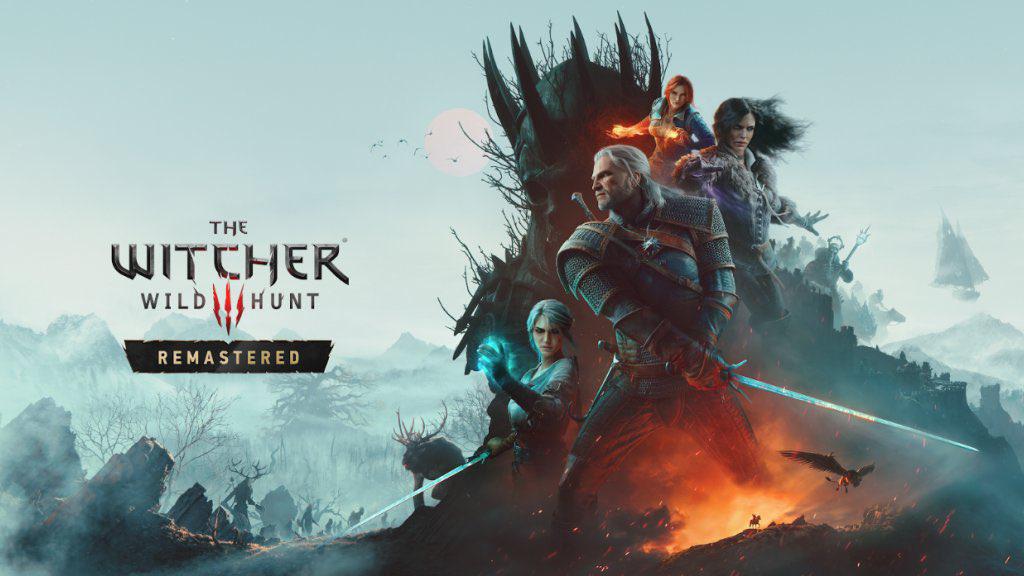
The Remastered version launches on September 29, 2026, giving returning players a perfect reason to revisit the Continent.
But before launch day arrives, there is one thing you should do.
Prepare your save.
Don't Assume Your Oldest Save Is the One You Need
The easiest mistake is simply launching Remastered and hoping your entire save history magically appears.
Instead, open the current version of The Witcher 3 and make sure the save you actually want to continue is accessible.
Load it.
Check that Geralt is exactly where you remember leaving him.
Then create a fresh manual save.
This gives you a recent version of your progress to work with and makes it much easier to identify the correct save once you're inside Remastered.
Step-by-Step: How to Prepare Your Witcher 3 Save
1. Update Your Existing Game
Before doing anything else, make sure your current installation of The Witcher 3 is fully updated.
If you've had the game sitting untouched on your console or PC for a while, there may be updates waiting.
Install them before attempting to prepare your save.
2. Open the Load Game Menu
Launch your current version of The Witcher 3 and enter the Load Game menu.
Look for the Cross Progression option.
This is the system you'll use to make your save available across supported versions and platforms.
3. Connect Your CD PROJEKT RED Account
Follow the instructions to connect your game to your CD PROJEKT RED account.
Once connected, Cross Progression can be used to synchronize your saves.
You can also check the feature through:
Options → Gameplay → Cross Progression
Make sure the feature is enabled before continuing.
4. Load the Save You Want to Continue
Now load the exact save you want to bring into Remastered.
Don't simply choose a random recent save.
Think about where you want to resume the adventure.
Maybe you're halfway through Blood and Wine.
Maybe Geralt is sitting outside Novigrad with a dozen unfinished quests.
Or perhaps you've just reached Skellige.
Whatever the case, load the save you actually want to continue from.
5. Create a New Manual Save
Once you're inside the game, create a brand-new manual save.
This is the important part.
Give yourself an obvious save point that you can easily recognize later.
If you're using Cross Progression, the newly created save should synchronize with the cloud.
Look for the cloud icon next to the save.
Once you see it, you have confirmation that the save has been uploaded.
That's the point where you can stop worrying about whether you're accidentally carrying over an outdated version of your adventure.
What Happens When You Launch Remastered?
Once September 29 arrives, install and launch the Remastered version.
When prompted, connect the game to the same CD PROJEKT RED account you used with your original version.
This part is extremely important.
Your old version and the Remastered version need to be associated with the same account for Cross Progression to work properly.
After connecting your account, go through the game's account and rewards sections if prompted.
Then head to:
Load Game
Your uploaded save should appear there.
Select it and check that your character, inventory, quests, and progression are intact.
What About Hearts of Stone and Blood and Wine?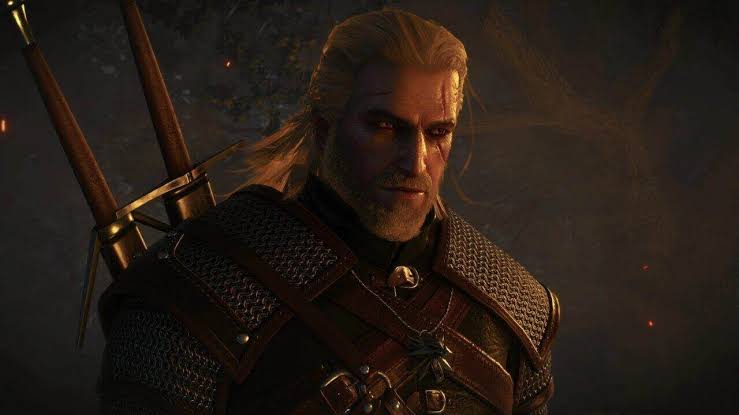
Returning players also have another reason to check their existing installations before launch.
The Witcher 3 includes its major expansions, Hearts of Stone and Blood and Wine, as part of the Complete Edition experience.
If your existing save was created while using additional content, make sure the corresponding content is available in the version you're moving to.
A save that depends on content unavailable in the target version can cause compatibility problems.
For players moving into the Remastered version with the included expansions, however, the situation should be considerably simpler.
Still, checking your setup before launch is better than discovering a problem after you've already started downloading everything.
Don't Panic If Your Skills Look Different
One thing returning players should be prepared for is that Remastered isn't simply a graphics upgrade.
The updated version introduces gameplay changes alongside its visual improvements.
That means your character may not look exactly the same in every menu.
In particular, skills can be reset because of changes to the game's progression systems.
Don't immediately assume you've lost your character progression.
Instead, check the skill menu and redistribute your available points according to your preferred build.
It may actually be an opportunity to experiment with a completely different Geralt.
Your Achievements Don't Need to Start From Zero
Completionists have another reason to be comfortable with the transition.
Previously earned achievements and trophies are designed to carry across the versions rather than forcing players to repeat their entire achievement hunt.
So if you've already spent months completing contracts, discovering locations, finishing quests, and hunting down every last achievement, you shouldn't have to treat Remastered as a completely separate trophy journey.
Your existing progress remains part of the experience.
The Weekend Checklist
If you want everything ready before September 29, use this quick checklist:
Before launch:
- Update your existing copy of The Witcher 3.
- Open your current save.
- Make sure the save you want is working correctly.
- Open Load Game.
- Check Cross Progression.
- Connect your CD PROJEKT RED account.
- Load your preferred save.
- Create a fresh manual save.
- Look for the cloud icon beside the save.
- Remember which CD PROJEKT RED account you used.
After installing Remastered:
- Connect the same CD PROJEKT RED account.
- Complete the account connection process.
- Open Load Game.
- Find your uploaded save.
- Load it.
- Check your character and inventory.
- Check your quests and progression.
- Reallocate skills if necessary.
- Adjust your settings.
The entire preparation process is relatively simple.
More importantly, it can save you from spending launch day wondering where your hundreds of hours of Geralt's adventures disappeared.
Why This Matters for Returning Players
The biggest appeal of the Remastered release isn't necessarily starting from scratch.
For many players, it's the possibility of returning to a world they already know and seeing it transformed.
The villages, forests, cities, monsters, castles, and battlefields that were familiar years ago can feel different when presented with upgraded visuals and gameplay systems.
That's especially interesting for players who haven't touched The Witcher 3 since its original release.
Your existing save essentially becomes a time capsule.
You can continue Geralt's old adventure while experiencing the upgraded version.
And because the save preparation only takes a few minutes, there's little reason to leave it until launch day.
What Happens Next?
September 29 will be the real test.
Players will begin loading their old saves into the upgraded version, experimenting with the updated mechanics, and comparing familiar locations with their Remastered counterparts.
Some players will continue exactly where they left off.
Others will probably use the launch as an excuse to begin another playthrough.
And some will inevitably spend hours wandering around the Continent instead of actually completing the quest they loaded the game for.
That's part of the Witcher 3 experience.
The important thing is making sure your save is ready before you get there.
🎮 The Bottom Line
You don't need to overcomplicate the transition to The Witcher 3 Remastered.
Update your existing game, connect your CD PROJEKT RED account, load the save you want to continue, create a fresh manual save, and make sure the cloud icon appears.
Then, when Remastered launches on September 29, connect the same account and retrieve that save through the Load Game menu.
A few minutes of preparation this weekend could mean the difference between immediately returning to Geralt's adventure and spending launch day trying to figure out where your progress went.
Are you planning to continue an old Witcher 3 save in Remastered, or are you tempted to start Geralt's journey all over again? Let us know in the comments.