
EA Sports FC 27 Web App Down: Server Status and How to Fix Login Errors
Millions of players hit the same button at the same moment.
The result was exactly what you would expect.
The EA Sports FC 27 Web App launched into early access this week, and login errors, maintenance screens, and locked markets followed almost immediately.
Here is the actual server status, what each error message really means, and the fixes that work.
Current Status: Is the Web App Actually Down
Short answer: it depends on exactly when you are reading this.
The confirmed launch timeline:
- Web App launch: September 16, 17:00 UTC
- Companion App launch: September 17, 17:00 UTC, one day later
- Early access window: began September 17 through 18
If you are seeing a black maintenance screen before those times, that is not a bug.
EA deliberately locks the app until launch, and every visitor sees the same "coming soon" page regardless of account status.
The Exact Maintenance Message
If the page reads something like this, the service simply is not open yet:
"EA SPORTS FC Companion is coming soon. The Companion App and other FC Web features are down for maintenance while we prepare for EA SPORTS FC 27."
There is no fix to apply here.
Bookmark the page. Come back after the confirmed launch window passes.
Why the App Feels Broken Even After Launch
Once the clock hits launch time, a different kind of chaos begins.
Millions of returning players attempt to log in within the same few minutes, and EA's authentication servers take the brunt of it.
What typically happens in the first hour after launch:
- Login pages hang on a loading spinner indefinitely
- Pages fail to load at all, returning blank screens
- Authentication requests time out before completing
- Some players get through instantly, while others wait considerably longer
This pattern is not unique to FC 27.
Every major Ultimate Team launch faces the same surge, and the fixes below are the same ones that clear the backlog fastest.
Fixing the "Trouble With Login Services" Error
This is the single most common error message players report.
"We're currently having trouble with login services. While we work on it, you can try to log in from Console or PC."
This message is a server-side authentication hiccup, not a broken account.
It spikes hardest during the first hour after launch, when demand peaks all at once.
Fixes That Actually Work
Work through these in order. The first two clear the issue most often.
- Sign out completely, then clear cache and cookies for ea.com. A clean session resolves this far more often than a simple page refresh.
- Open a private or incognito browser window with extensions disabled. Ad blockers and script blockers frequently break the login handshake without any obvious error explaining why.
- Switch browsers entirely. Chrome and Edge tend to be the most reliable. Older Safari builds are the most common outlier causing failures.
- Close Ultimate Team on console or PC first. You cannot use the Web App while the game client is simultaneously logged into the same account.
Note: According to FIFA UTeam's troubleshooting guide, any browser with WebGL support works fine, which covers Chrome, Firefox, Edge, Opera, and Safari. If none of those load the app properly, the issue is almost certainly server load, not your setup.
Fixing a Stuck "Coming Soon" Page After Launch
Sometimes the launch window passes, but your browser still shows the maintenance screen.
This is almost always a caching problem, not an actual outage.
How to clear a stuck maintenance page:
- Force a hard refresh using Ctrl and F5 on Windows, or Cmd, Shift, and R on Mac
- If the page still will not budge, manually clear cookies specifically for ea.com
- Confirm you are pointed at the official Ultimate Team Web App page, not a bookmarked or cached redirect
- You will know it worked once the maintenance screen is replaced by the actual EA sign-in prompt
Launch rollouts are staggered rather than instant across every region simultaneously.
A few extra minutes of patience beats a full browser reinstall almost every time.
Understanding Eligibility Restrictions
Not every login failure is actually a technical error.
Some players are correctly being denied access based on EA's own eligibility rules.
Who might be blocked from early Web App access:
- Accounts that switched platforms since FC 26
- Accounts with disciplinary actions or bans applied during FC 26
- New players who have never launched Ultimate Team on console or PC first
- Accounts without a security question set before August 1, 2026
That security question requirement catches a lot of returning players off guard.
According to FIFA UTeam's launch coverage, only accounts with a security question configured on console before that August deadline qualify for the earliest access window.
What This Means for New Players
If you are new to Ultimate Team entirely, the Web App simply will not work for you yet, regardless of how many troubleshooting steps you try.
New players must first launch Ultimate Team directly on console or PC before the Web App or Companion App becomes accessible at all.
Fixing a Locked Transfer Market
A locked Transfer Market is a separate issue from a login failure entirely, and it confuses a lot of players who assume it is the same problem.
According to Games.gg's Transfer Market unlock guide, completing in-game Graduated Access does not automatically unlock Web and Companion App market access.
The fastest realistic unlock path:
- Confirm your EA Account is in good standing, and verify the email linked to your FC 27 platform account
- Log into the Web App on day one of eligibility, since returning players in good standing typically get immediate access
- Log into the Companion App the following day as well
- Both app logins count toward maintaining an active day, which is part of what unlocks full market access
Until that market unlocks, you can still use the in-game Transfer Market directly through console or PC.
It is only the Web and Companion App version of the market that stays gated during this early window.
When the Problem Is Actually on Your End
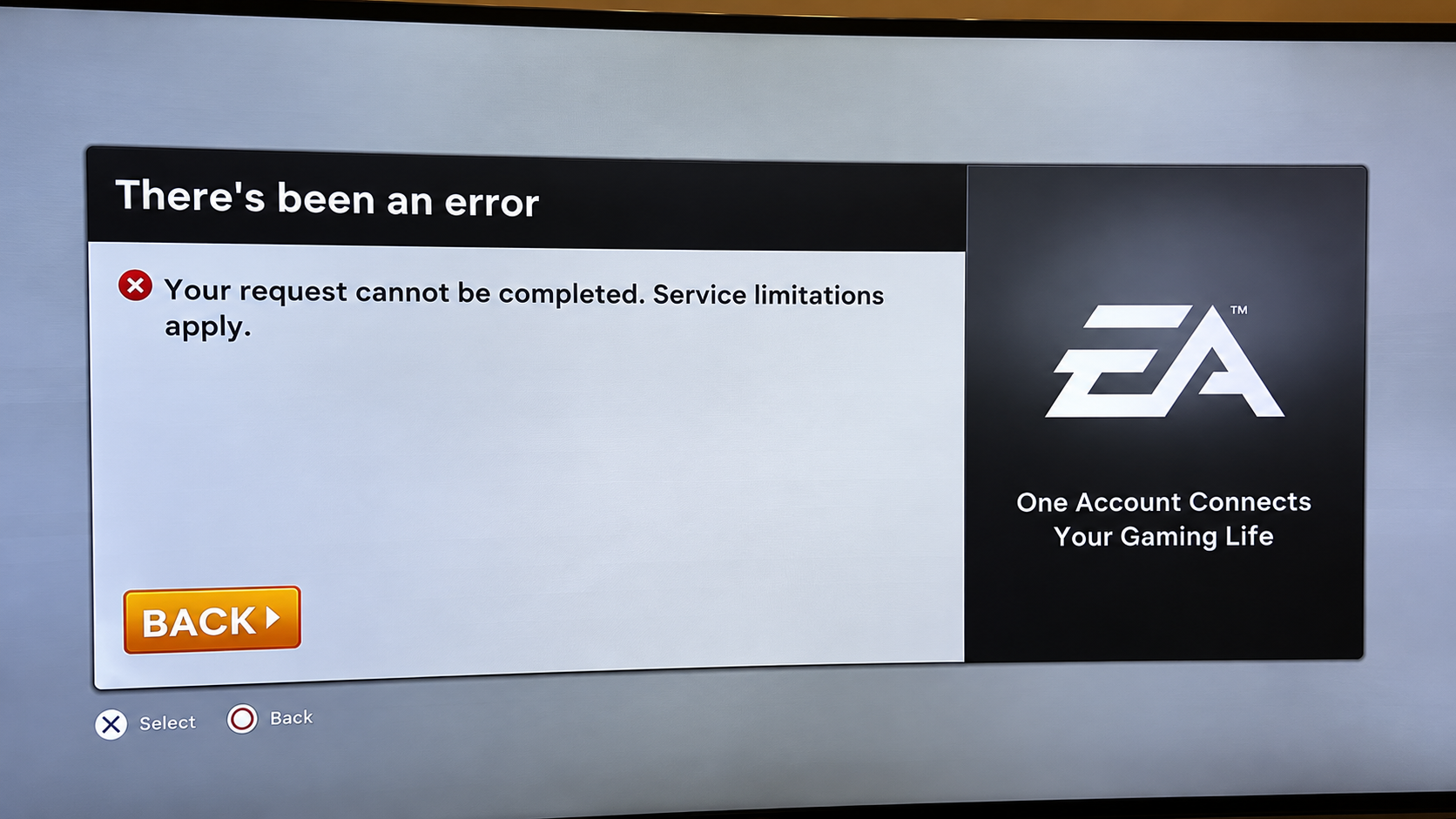
Not every issue traces back to EA's servers.
According to LagoFast's login troubleshooting breakdown, a simple three-signal check helps determine where the actual problem sits.
How to tell EA server issues apart from local problems:
- If EA's official status page reports an active incident, wait it out. Local changes will not fix server-side infrastructure problems.
- If EA's status looks normal but outage reports are spiking anyway, the issue may be regional or simply not yet officially reflected.
- If EA's status is normal and only your device specifically fails, the problem is likely local: account sessions, browser cache, corrupted files, or platform linking.
That third scenario is where most of the fixes covered earlier in this guide actually apply.
Quick Reference: Every Fix in One Place
If you are seeing a maintenance page before launch time: There is nothing to fix. Wait for the confirmed launch window.
If you see "trouble with login services": Clear cookies, try a private browser window, switch browsers, and close the game client on console or PC first.
If the maintenance page persists after launch: Hard refresh your browser and manually clear cookies for ea.com.
If you are denied access despite correct credentials: Check eligibility requirements, including your account's security question setup date and platform history.
If the Transfer Market specifically stays locked: Log into both the Web App and Companion App on consecutive days to build an active streak.
FAQ
When did the FC 27 Web App actually go live? September 16 at 17:00 UTC, with the Companion App following one day later on September 17.
Why does the app say "coming soon" even though launch already happened? This is almost always a cached page on your browser. A hard refresh and clearing cookies for ea.com typically resolves it.
Can new Ultimate Team players use the Web App right away? No. New players must first play Ultimate Team on console or PC before the Web App or Companion App becomes accessible.
Why is my Transfer Market still locked even though I can log in? Market access requires logging into both the Web App and Companion App on consecutive days, separate from simply being able to sign in.
Is there a way to check if the problem is EA's servers or my own setup? Yes. Check EA's official status page first. If it reports normal service but only your device fails, the issue is almost certainly local.
Final Takeaway
Most FC 27 Web App problems right now are not actual outages.
They are launch week traffic, cached pages, and eligibility rules doing exactly what they were designed to do.
If you are seeing a maintenance screen before the confirmed launch time, there is genuinely nothing broken.
If login services are struggling right after launch, that is expected server strain, not a corrupted account.
Work through the fixes in order.
Clear cookies first.
Try a private browser window second.
Switch browsers if needed.
Close the console or PC client before touching the Web App again.
For most players, one of those four steps clears the problem within minutes.
For everyone else still locked out, the issue usually traces back to eligibility rules rather than a technical failure, which no amount of cache clearing will fix.
Patience during the first 24 to 48 hours after launch solves more login problems than any troubleshooting step ever will.