
Discord Server Shops: How to Sell Digital Guides and Roles Directly in Chat
Your Discord Server Can Now Be More Than a Community
For years, Discord servers were mainly places where creators built an audience.
You would bring people into a server, post content, run events and maybe send them somewhere else when it was time to sell something.
Discord is slowly changing that model.
Its native monetization tools now let eligible creators sell digital products and Premium Roles directly through their servers, while Server Subscriptions provide a separate way to charge members monthly for ongoing perks. Discord Creator Support
That creates an interesting possibility:
Your community can become the storefront.
A fitness community could sell a PDF workout guide.
A gaming community could sell a strategy guide.
A creator could sell a one-time Premium Role.
And a larger community could offer monthly subscription tiers with exclusive channels and content.
The important part is that the customer doesn't necessarily need to leave Discord to make the purchase.
What Exactly Is Discord Server Shop?
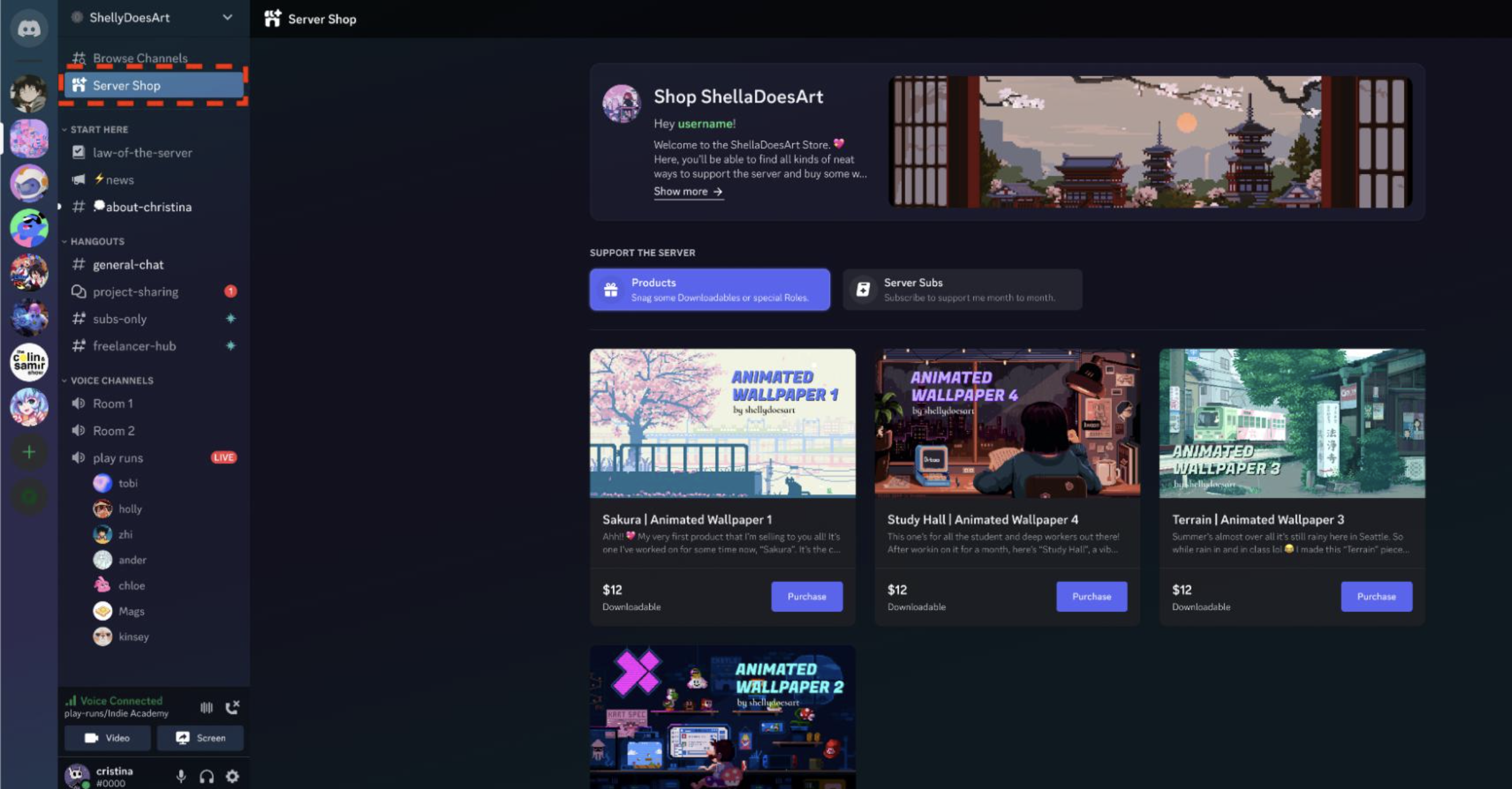
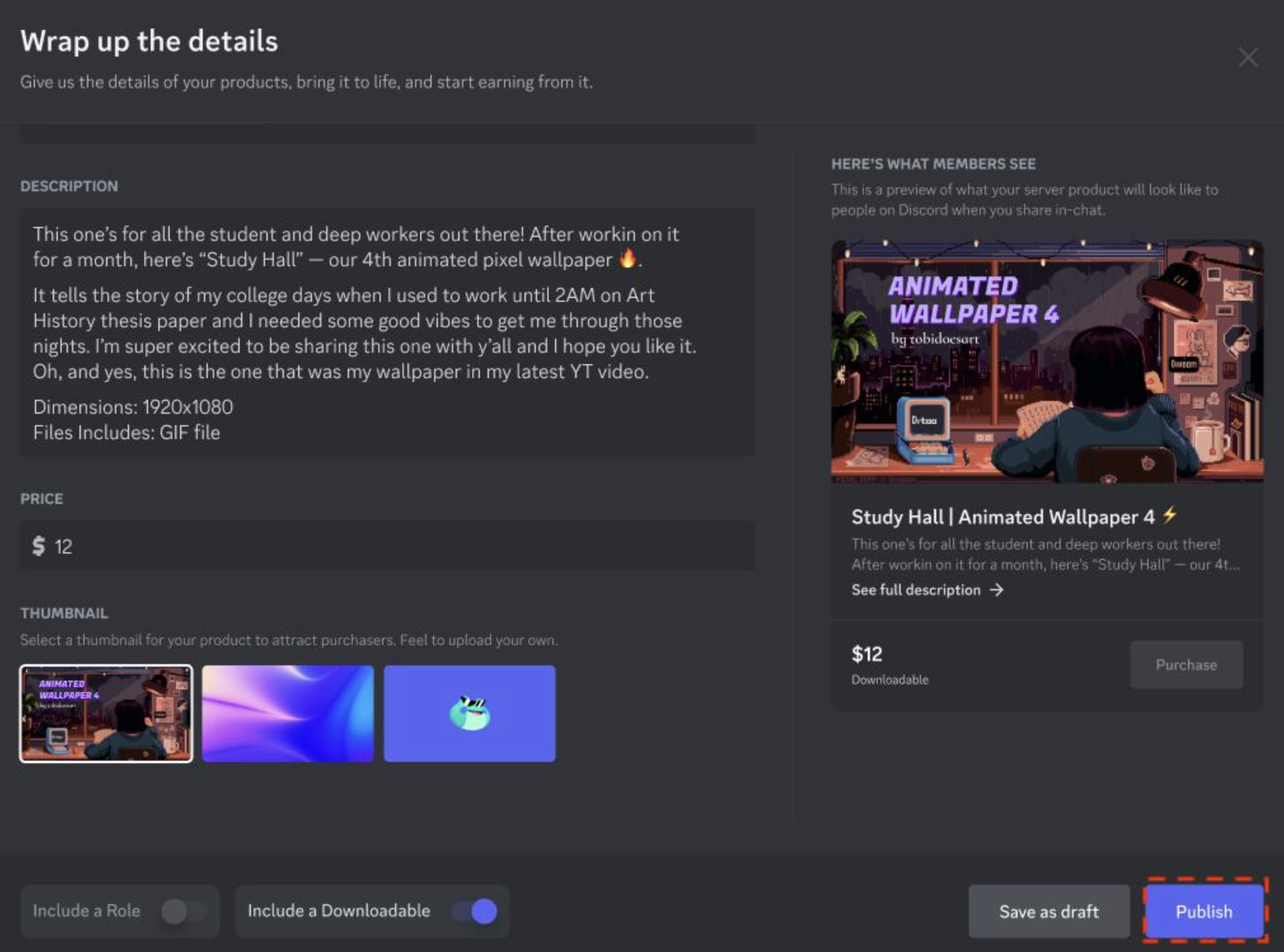
Discord Server Shop is the native storefront for Server Products.
There are currently two main types:
Downloadables
These are digital files uploaded directly to Discord.
Discord specifically lists examples such as:
- Ebooks
- Guides
- Digital art
- Other digital resources
Creators can upload up to 10 files per product, with a combined maximum of 500 MB. Supported file types include PNG, MOV, PDF, JPEG and GIF. ZIP and RAR files aren't supported. Discord Creator Support
That makes Downloadables useful for products that don't require ongoing access.
For example:
Gaming server:
"Complete Valorant Aim Guide" → PDF
Fitness server:
"12-Week Beginner Workout Plan" → PDF
Creator community:
"100 Instagram Reel Hooks" → PDF
Design community:
"Creator Wallpaper Pack" → PNG/GIF files
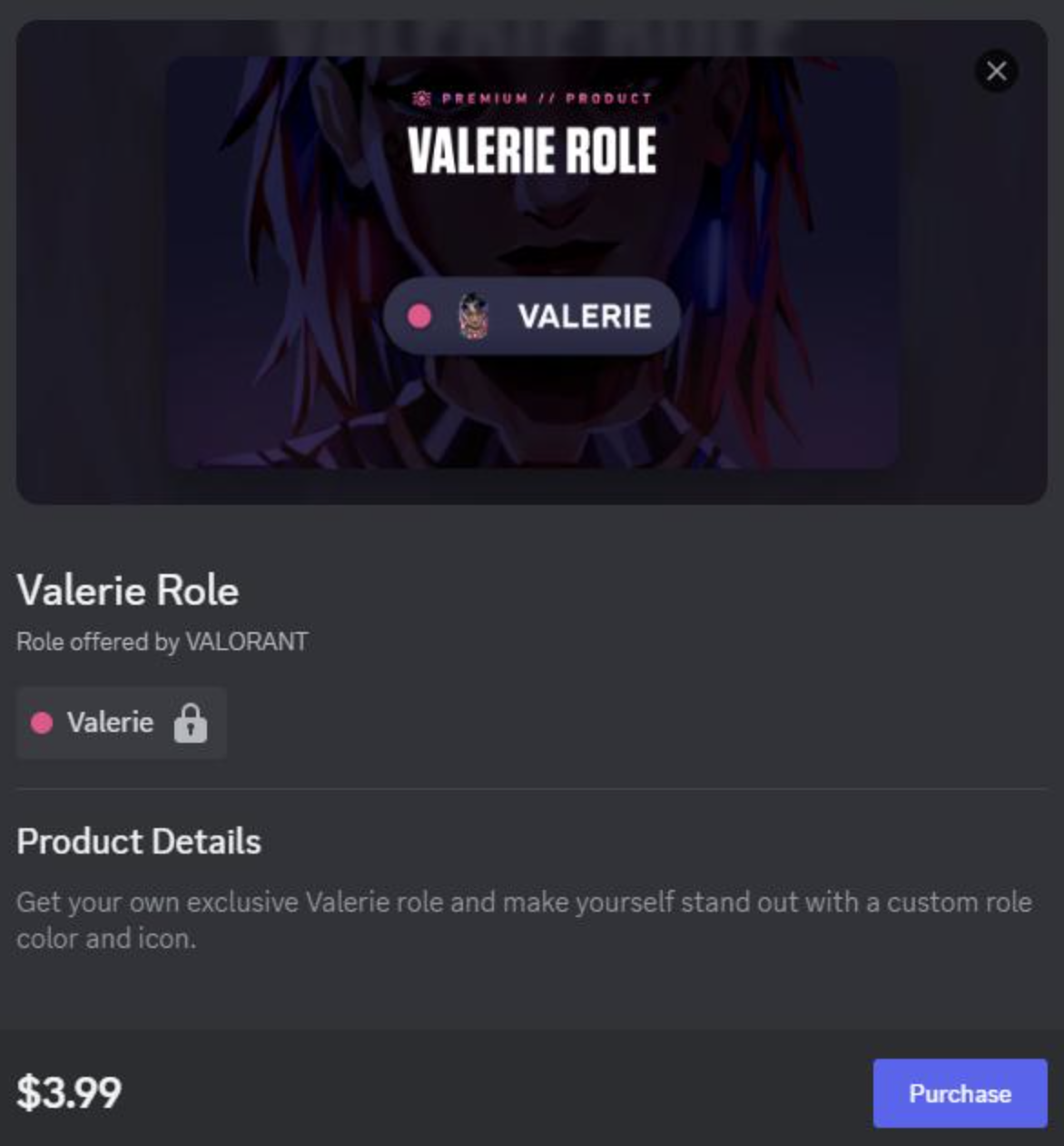
Premium Roles
Premium Roles work differently.
Instead of selling a file, you sell a role that provides access to a particular channel or Discord perk.
The important distinction is that Premium Roles are one-time purchases, not monthly subscriptions. Discord Support
For example:
$10 → "Tournament Pass" role
That role could unlock a private tournament channel or provide access to a specific event.
Discord even gives the example of using a Premium Role as a one-time ticket for a streaming event. Discord Creator Support
Where Server Subscriptions Come In
This is where things get more interesting.
If you want recurring monthly revenue, Server Subscriptions are the better fit.
Discord's Server Subscriptions allow creators to create different membership tiers, each with its own price and perks. Members are charged monthly until they cancel. Discord Support
So you can think about Discord monetization like this:
| Product | Payment | Best For |
|---|---|---|
| Downloadable | One-time | Guides, ebooks, files |
| Premium Role | One-time | Events, permanent perks, channel access |
| Server Subscription | Monthly | Ongoing exclusive content and community access |
This distinction matters because a Premium Role isn't a replacement for a subscription.
If you're selling something once, use a Server Product.
If you're promising continuing benefits every month, a Server Subscription makes more sense.
How to Package a Digital Guide
The easiest starting point for a creator is probably a Downloadable.
Let's say you run a gaming community.
Instead of simply uploading a random PDF and putting a price on it, package it like an actual product.
Example
Product:
The Complete Ranked Climbing Guide
Includes:
- 40-page PDF
- Map strategies
- Agent recommendations
- Aim routines
- Rank-by-rank checklist
- Common mistakes
Then give the product a clear description and price.
Discord's creator tools allow admins to enter product details, set the price and choose whether the product contains a Downloadable and/or role. Discord Creator Support
The goal is simple:
Don't sell a file. Sell an outcome.
"40-page PDF" sounds like a file.
"Reach your next rank with a structured 40-page strategy guide" sounds like a product.
Creating a Server Product
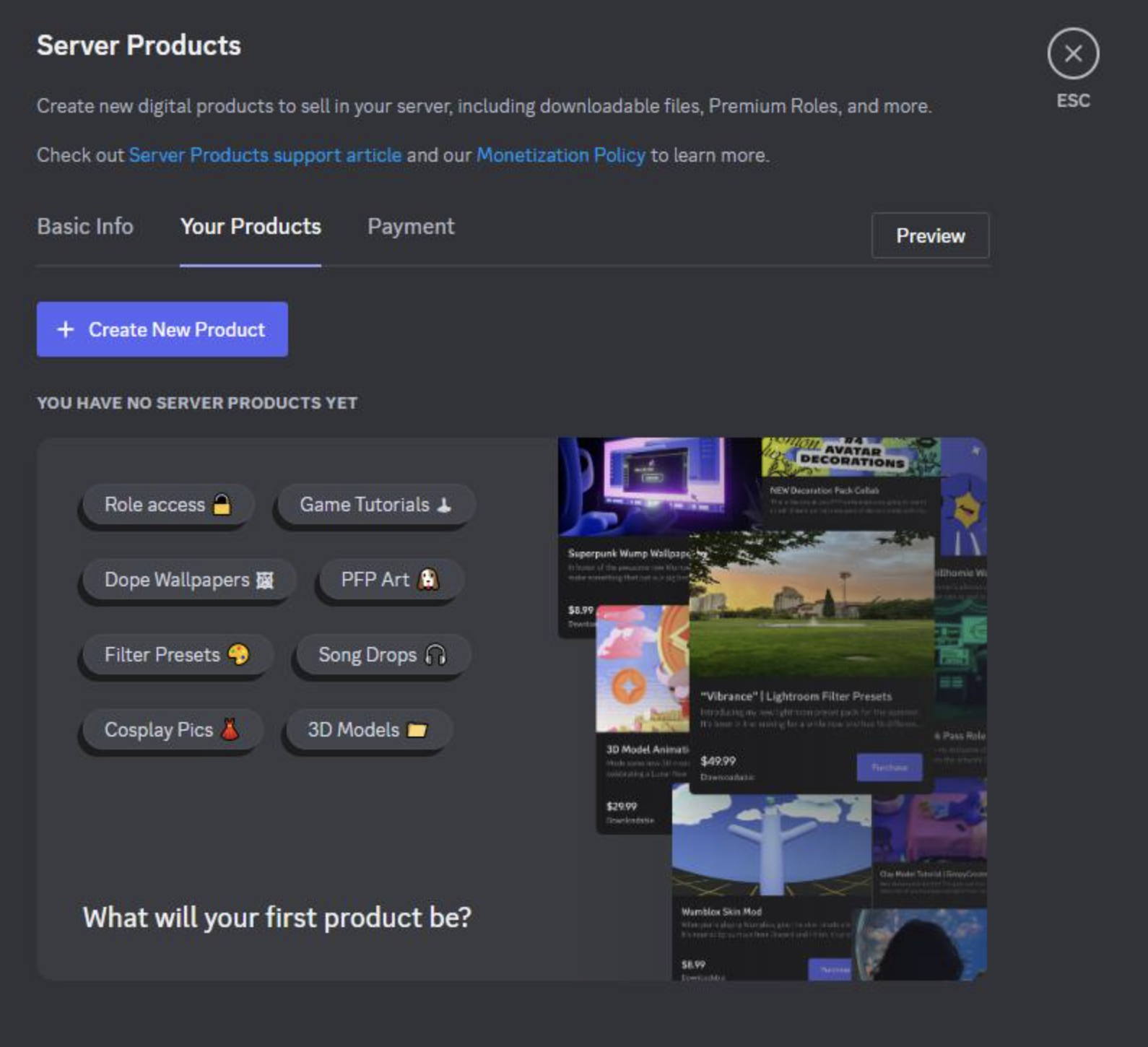
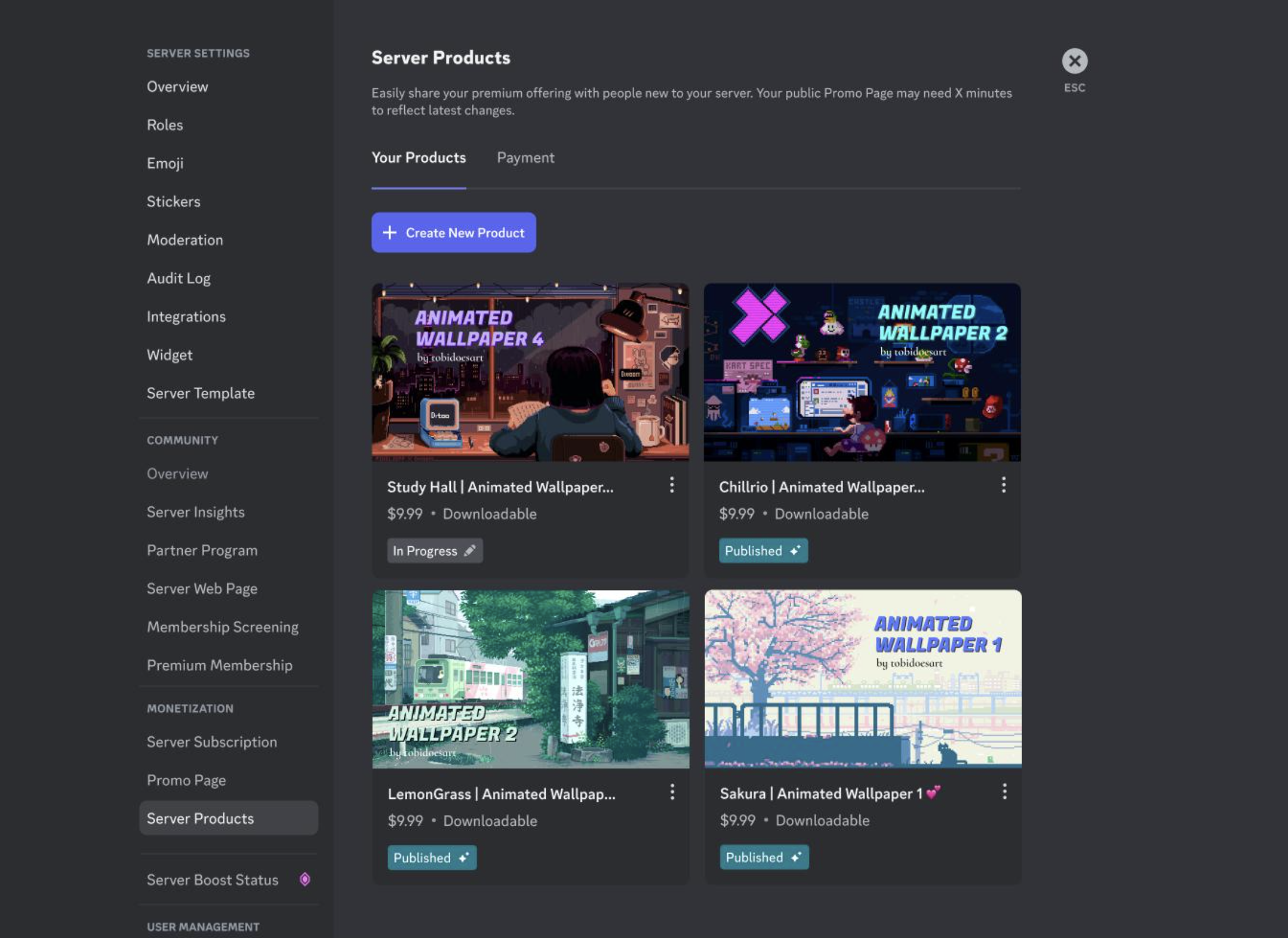
For eligible servers, Server Products are created from the server's settings on desktop or browser.
The general flow is:
Server Settings → Server Products → Create New Product
From there, you can enter the product information, set its price, select the product type and upload the downloadable if applicable. After publishing, the Server Shop becomes available at the top of the server's channel list for members. Discord Creator Support
This is considerably simpler than building your own ecommerce website.
No separate product page.
No external checkout page.
No separate customer account system.
The community is already there.
What Does the Customer Experience Look Like?
From the member's perspective, the process is fairly straightforward.
An eligible server can display Server Shop at the top of the channel list.
A member opens it and sees the available products.
They select a Downloadable or Premium Role, review the details and choose Purchase to complete the transaction. Discord Support
For a Premium Role, the role is applied to the member's per-server profile after purchase.
For Downloadables, the purchased file can be accessed through User Settings → Server Products. Discord Support
That's the biggest appeal of the system.
The creator doesn't have to push the customer out to another website just to complete a basic digital purchase.
Premium Channels: Use Subscriptions for Ongoing Access
Here's where creators need to think carefully.
Imagine you have a private channel called:
#premium-guides
You want members to pay every month to access it.
A one-time Premium Role isn't necessarily the right model because the buyer keeps the benefit without another payment.
Instead, you could build a Server Subscription tier that provides access to that channel.
For example:
Basic - $5/month
- Premium chat
- Monthly Q&A
- Subscriber role
Pro - $10/month
- Everything in Basic
- Premium guides
- Private voice channel
- Exclusive events
Creator - $20/month
- Everything in Pro
- Direct feedback
- Monthly consultation
Discord's current Server Subscription system supports multiple tiers with different pricing and perks. Discord Support
2026 Makes This Even More Interesting
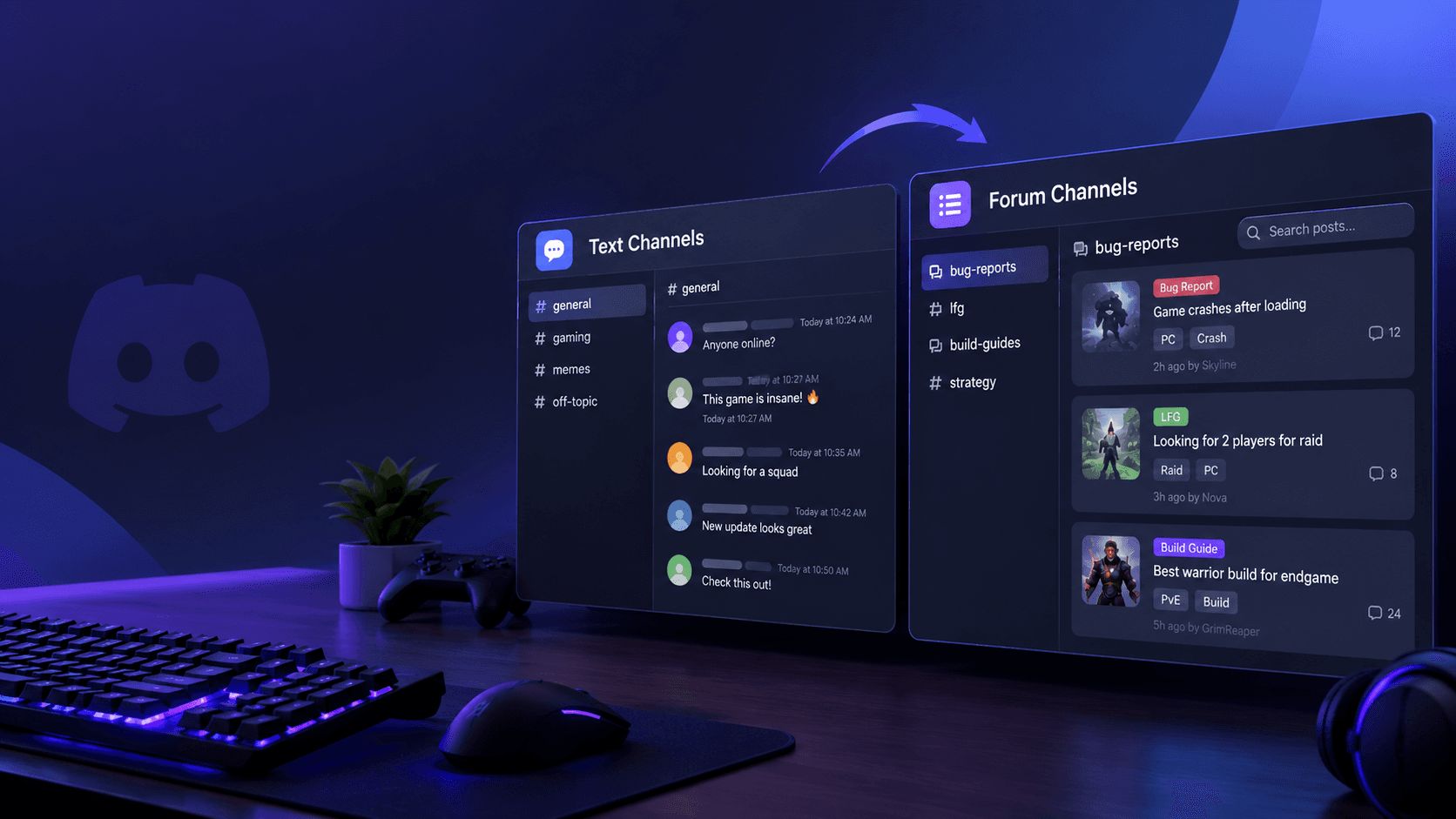
Discord is also experimenting with Media Channels for Server Subscriptions.
These channels can be used for videos, photos and files, including bonus content and downloadable resources for paying subscribers.
For example, a creator could connect a Media Channel to a subscription role and publish:
- Wallpapers
- PDFs
- Behind-the-scenes videos
- Exclusive images
- Bonus files
Non-subscribers can see that content is gated, while subscribers get access. Discord Creator Support
That gives creators another way to build a subscription around actual content rather than simply locking a text channel.
The Biggest Limitation Right Now
This isn't an open ecommerce platform for everyone.
Discord's Server Shop is currently a limited experiment, with Server Products available on desktop/browser in the United States. Discord Support
Server Subscriptions have their own eligibility requirements as well. Discord's creator documentation currently lists requirements including being 18+, having an account in good standing, verified email and phone, 2FA, and U.S.-based banking information and identification for Stripe. Discord Creator Support
So if you're outside the supported market or your server isn't eligible, you may not see these monetization tools.
That's an important distinction from simply creating a normal Discord server.
Discord Takes Care of the Storefront, But You Own the Product
There's another side creators shouldn't ignore.
Discord provides the infrastructure, but you are responsible for what you're selling.
Its Monetization Terms say creators are responsible for accurately describing their offerings, including what customers receive, pricing, limitations and applicable conditions. Discord Support
Discord's Monetization Policy also applies to Server Shop and Server Subscriptions and requires monetizing creators to follow its policies, applicable laws and regulations. Discord Support
So don't treat Server Shop like a shortcut around normal ecommerce responsibilities.
If you promise a guide, deliver the guide.
If you promise subscriber-only content, maintain it.
If you sell access to an event, make sure buyers actually receive that access.
Why This Could Matter for Discord Communities
The interesting part isn't simply that Discord added a shop.
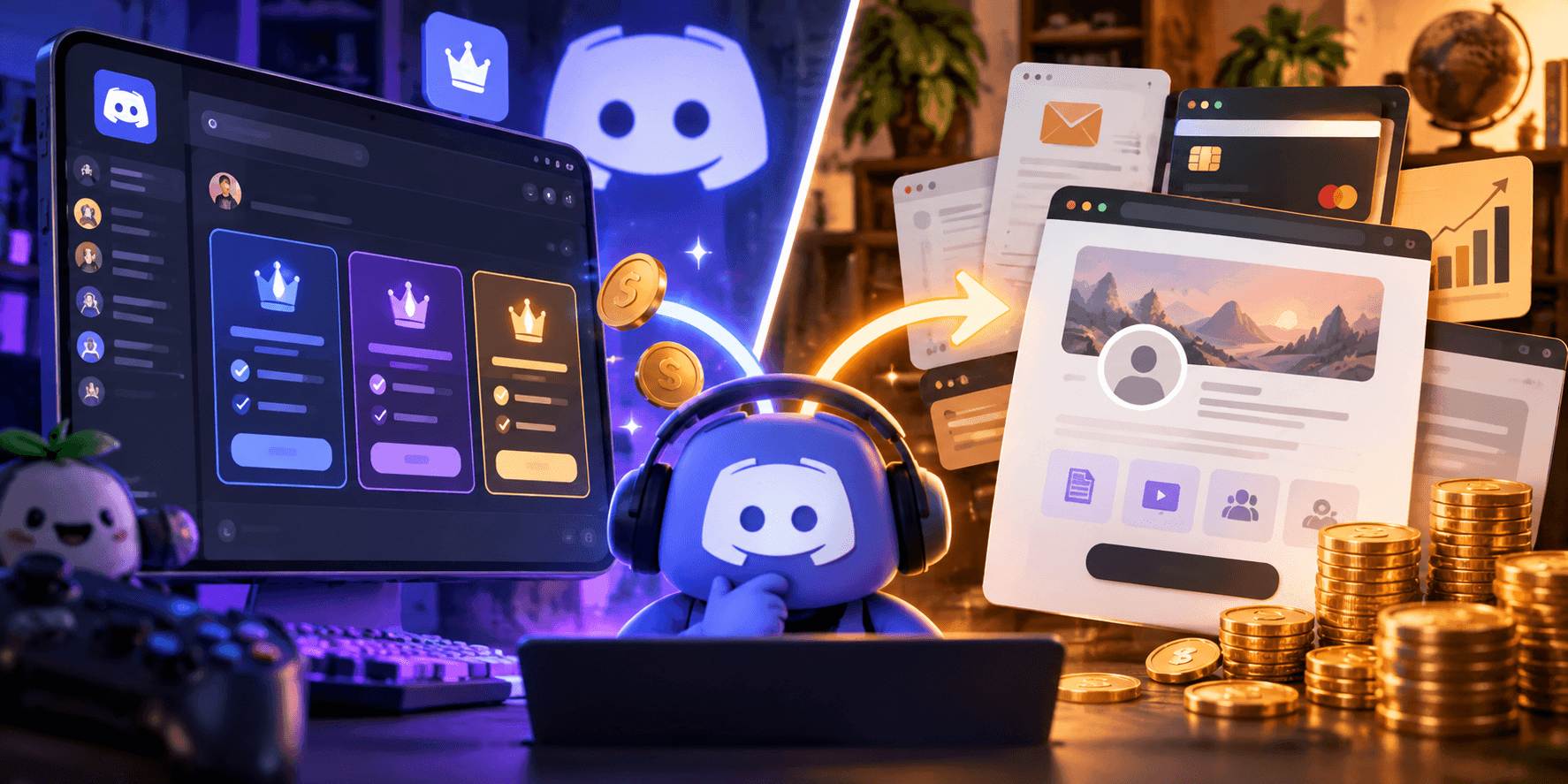
It's that Discord is gradually connecting community + content + monetization in the same ecosystem.
A creator can potentially build a funnel like this:
Free Community
↓
Useful Content
↓
Downloadable Product
↓
Premium Role / Perk
↓
Monthly Subscription
↓
Long-Term Community Member
That's a very different model from simply putting a PayPal link in a channel and hoping someone clicks it.
The community itself becomes part of the product experience.
What Happens Next?
The big question is how far Discord takes this.
If Server Shop, Server Subscriptions and newer features like Media Channels continue expanding, creators could have increasingly sophisticated ways to package digital products without leaving Discord.
For now, though, there is still a clear separation:
Server Shop = one-time digital products and Premium Roles.
Server Subscriptions = recurring monthly memberships.
Understanding that distinction is probably the most important thing for anyone planning a Discord monetization strategy.
🎮 The Bottom Line
Discord is slowly turning the server from a place where people talk about products into a place where creators can actually sell them.
For one-time products, Downloadables are the obvious starting point.
For event access or one-time perks, Premium Roles can work.
And for continuing access to premium channels, content and community benefits, Server Subscriptions are the better model.
The opportunity is simple:
Build the community first. Then turn the things your members already value into products.
What would you sell through a Discord Server Shop?
A digital guide, Premium Role, exclusive channel, or monthly subscription?

Comments
Sign in to join the conversation
Sign inNo comments yet
Be the first to share your thoughts!